Get up to
4 hours back
Unplugged blocks the apps that eat your day, shows you where the time goes, and turns focus into a habit you actually keep.
- On-devicePowered by Screen Time
- No accountNothing to sign up for
- PrivateYour data never leaves you
Built to quiet the apps that pull hardest
Block the noise in one tap
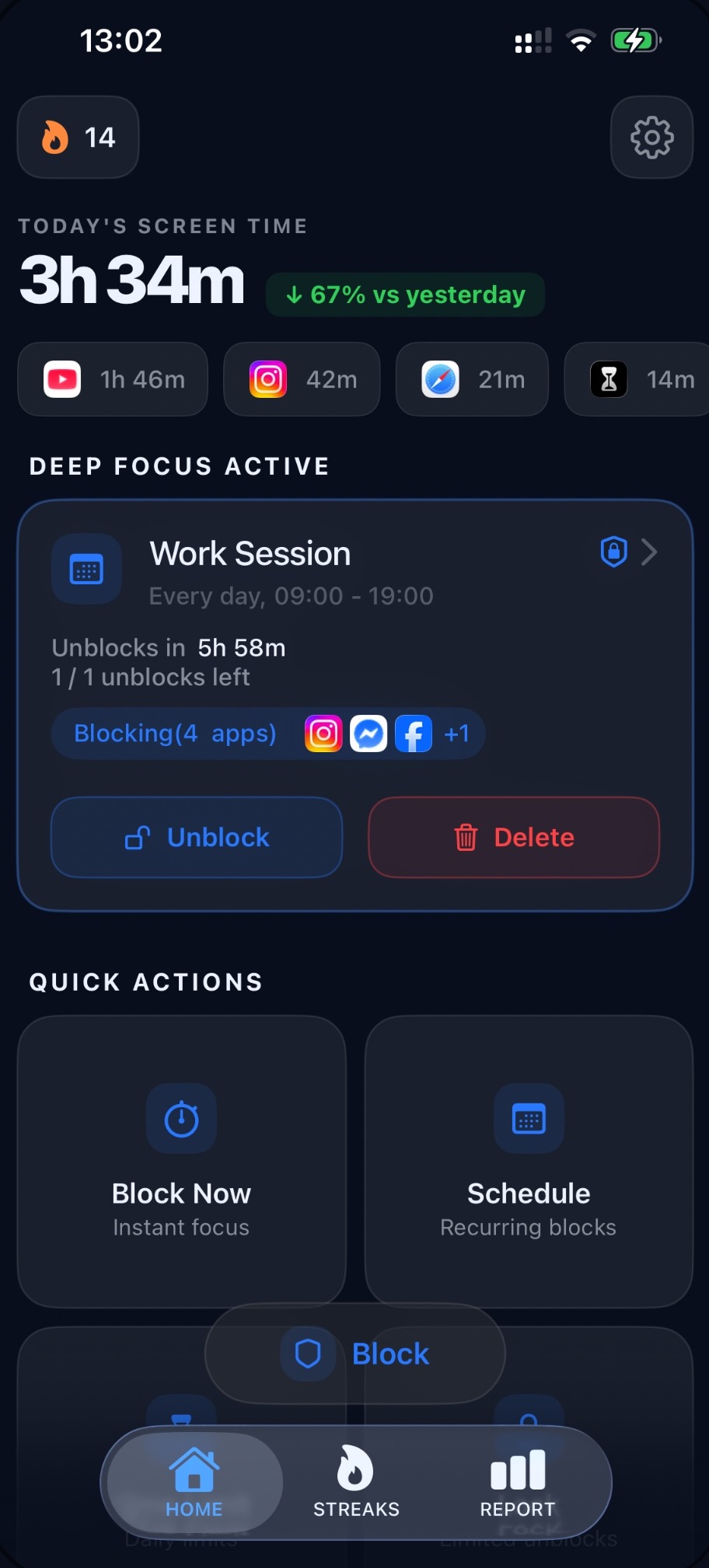
Start a focus session and every distracting app goes dark at once. See today's screen time drop in real time and stay in the work that matters.
- Block social, video and browsers together
- Live screen-time counter vs. yesterday
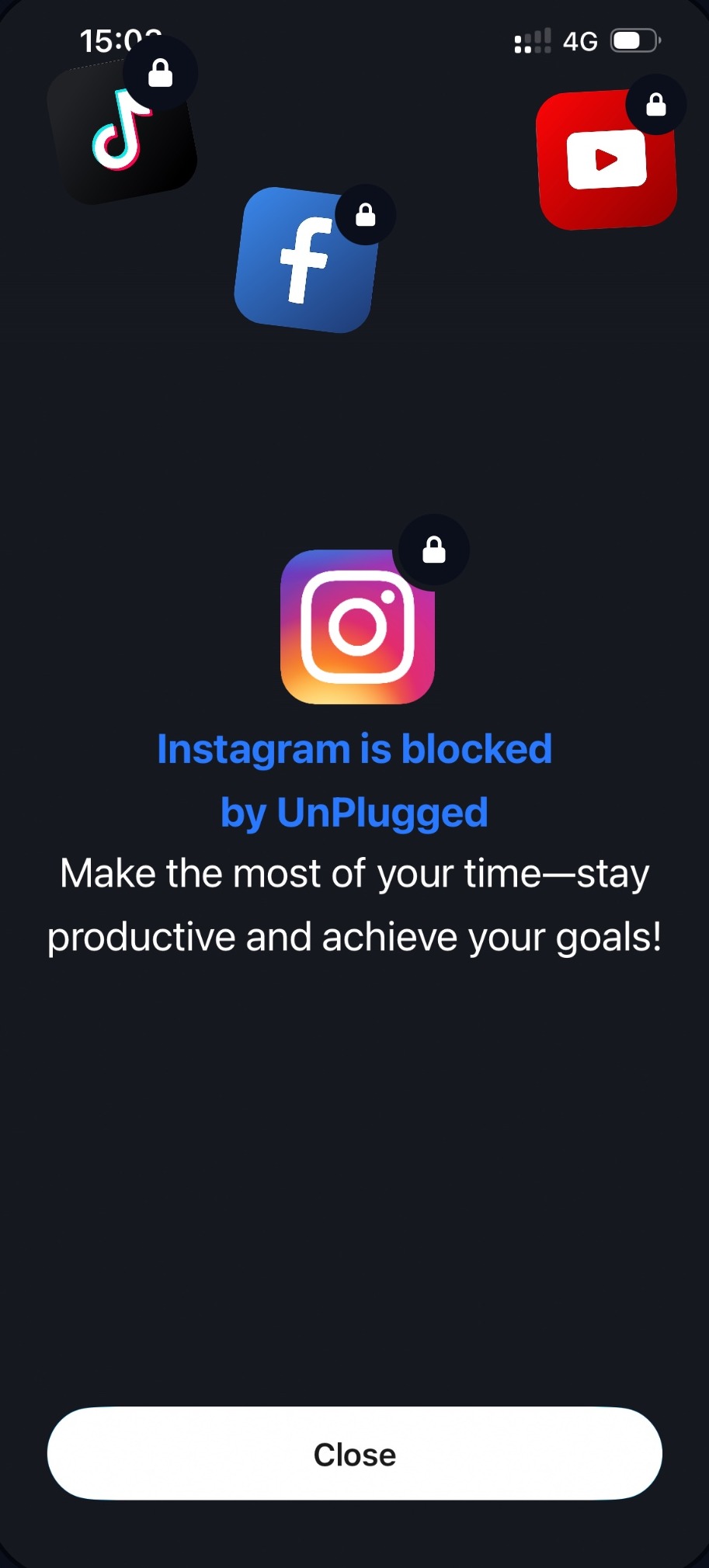
- Blocked apps show a friendly nudge, not a dead end
See exactly where it all goes
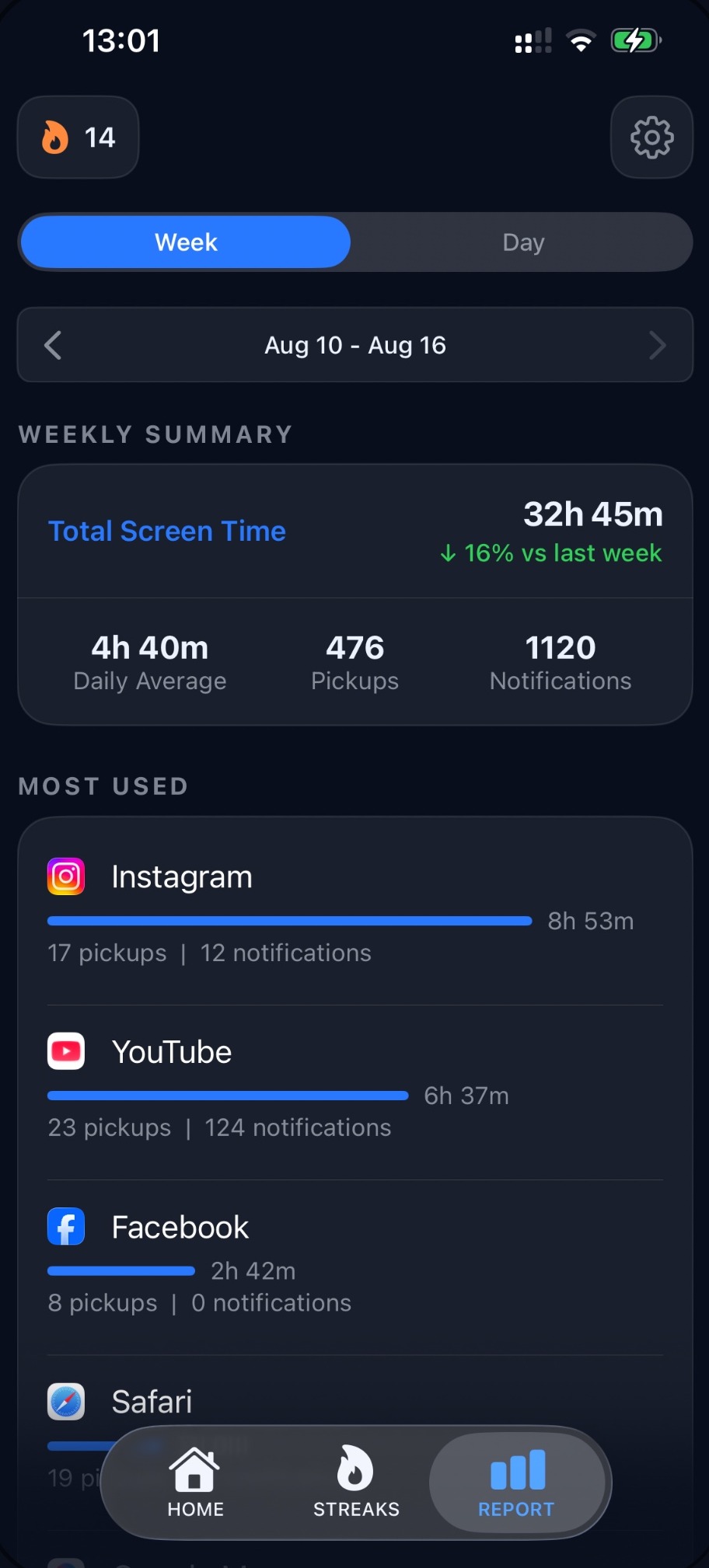
Every app, every pickup, every hour. Weekly and daily reports show your total screen time, how it compares to last week, and which apps quietly take the most.
- Screen time, pickups & notifications at a glance
- Week-over-week trend so you can see progress
- Most-used breakdown, ranked
Block it your way
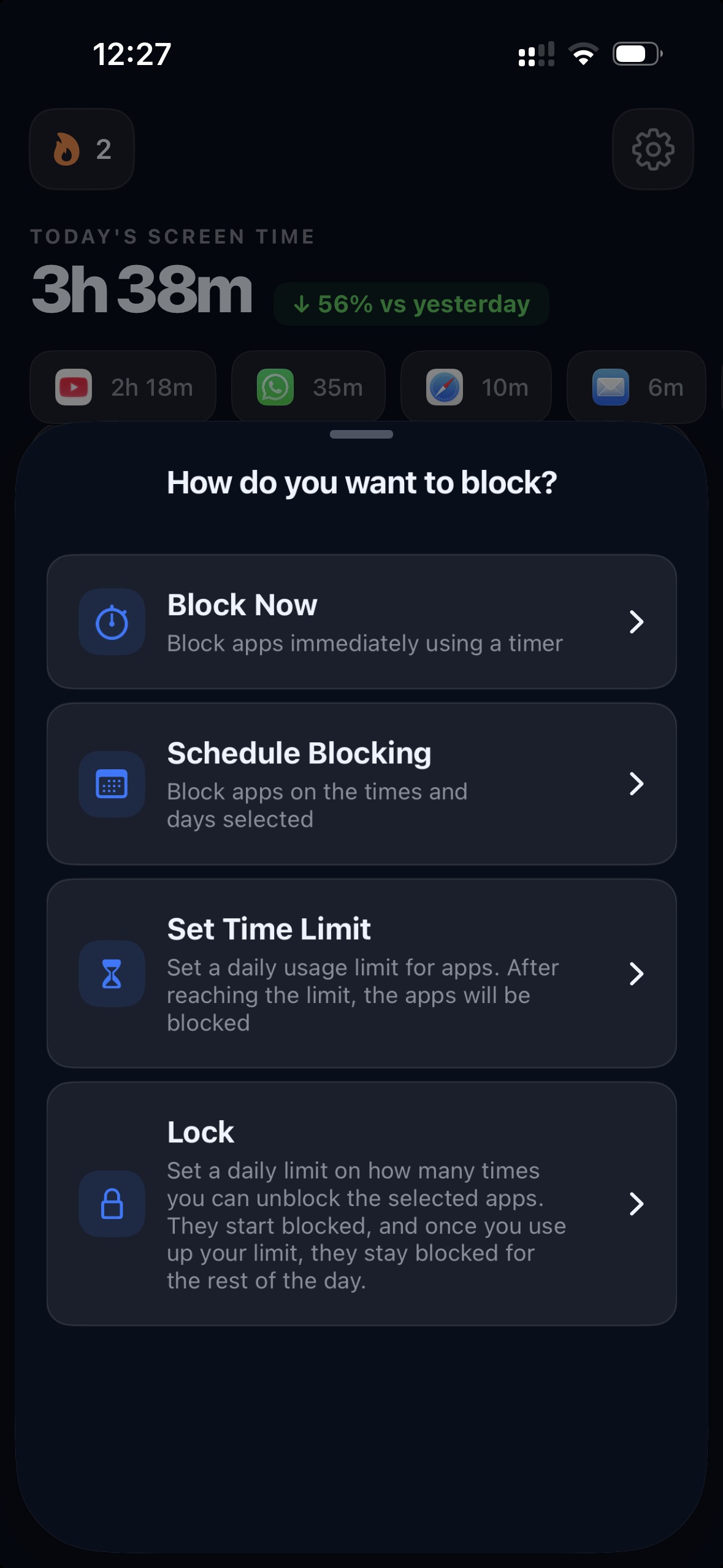
Right now, on a schedule, or locked all day. Choose the method that fits the moment — Unplugged bends to your discipline instead of the other way around.
Stay locked in
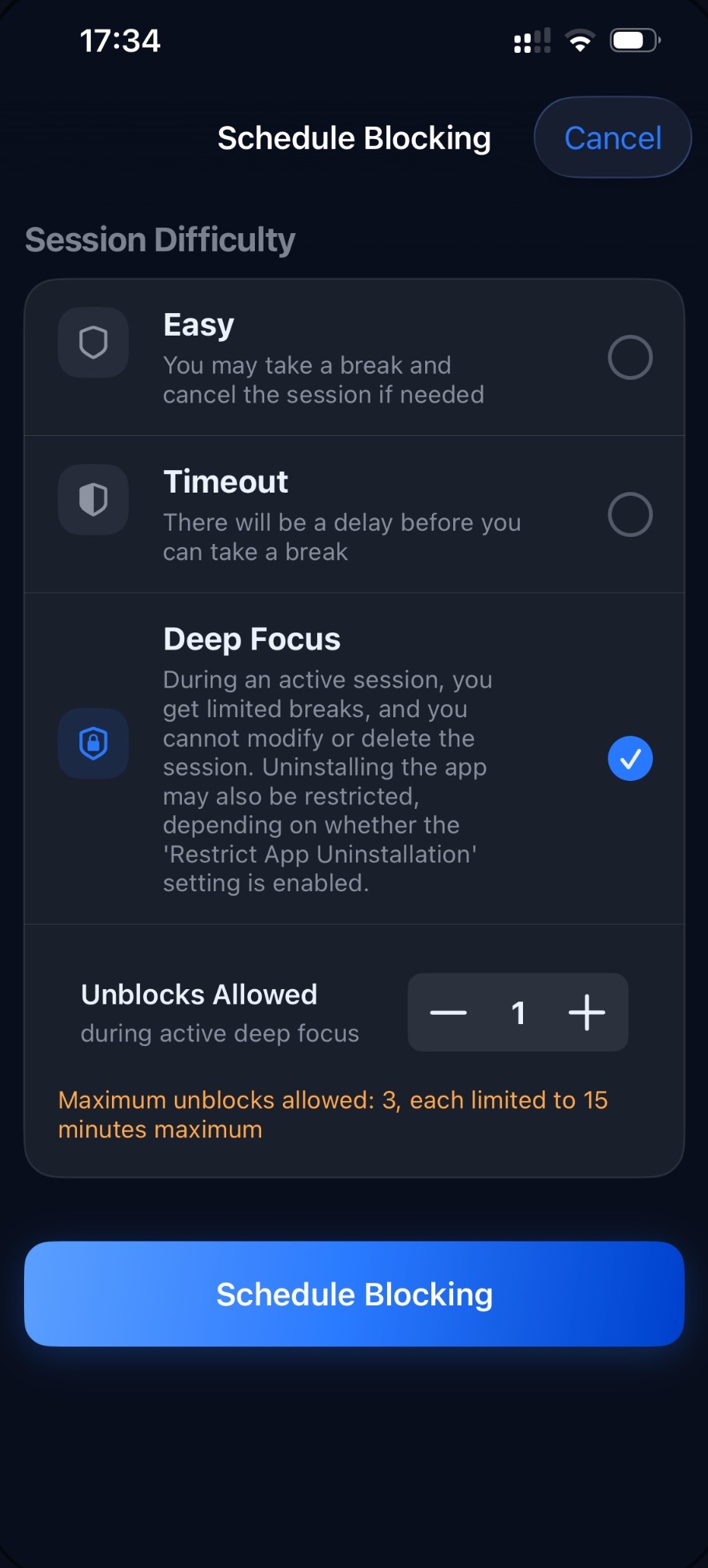
Pick how strict you want to be. Easy lets you bail anytime. Timeout adds friction before a break. Deep Focus locks the session so a moment of weakness can't undo your day.
- Three difficulty levels, from gentle to no-excuses
- Deep Focus can restrict deleting the session — or the app
- Set how many unblocks you're allowed
Set it once, forget it
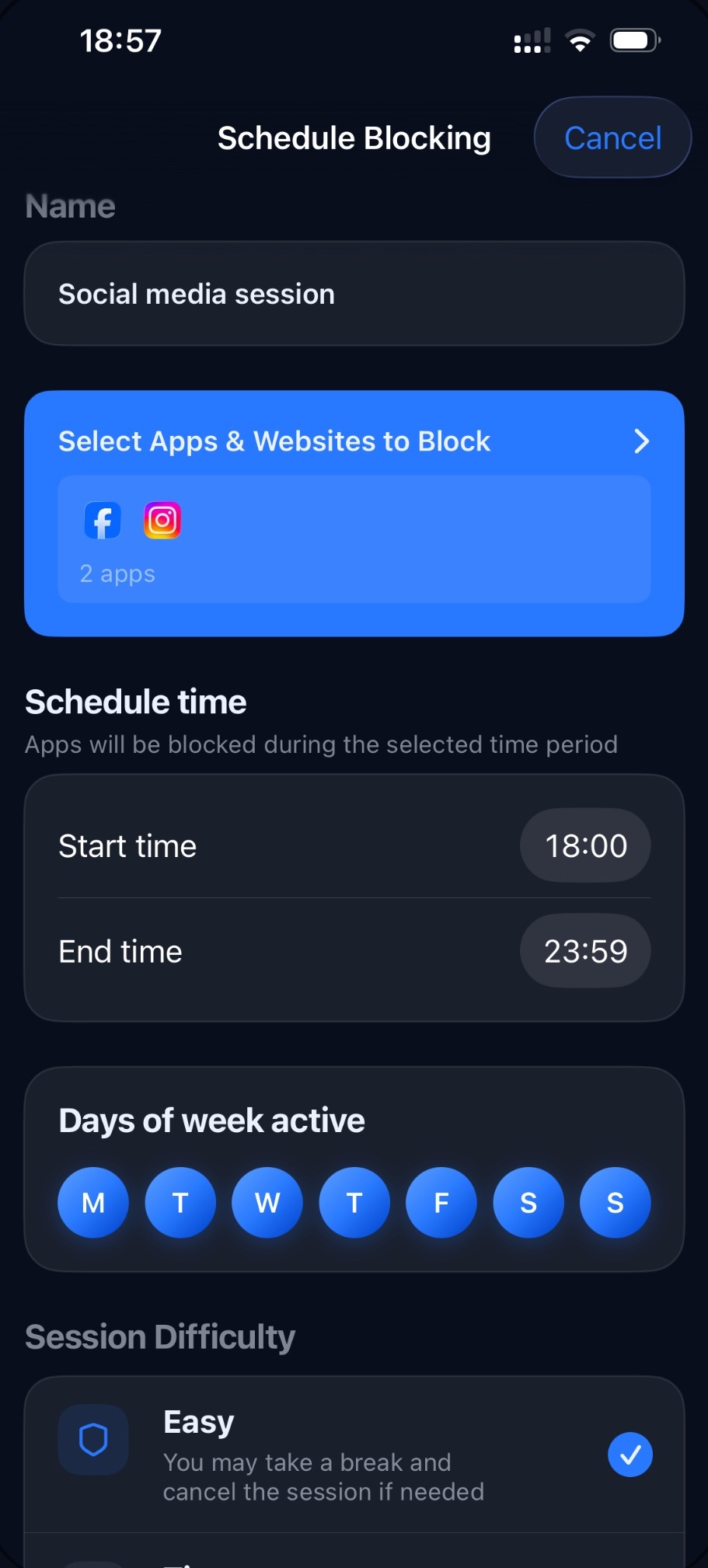
Name a session, pick your apps, choose the hours and days, and Unplugged runs your rules every day on its own. Work hours, study time, or a phone-free evening — handled.
- Recurring schedules by time and weekday
- Different rules for work, sleep and focus
- Runs quietly in the background, every day
A pause before you slip
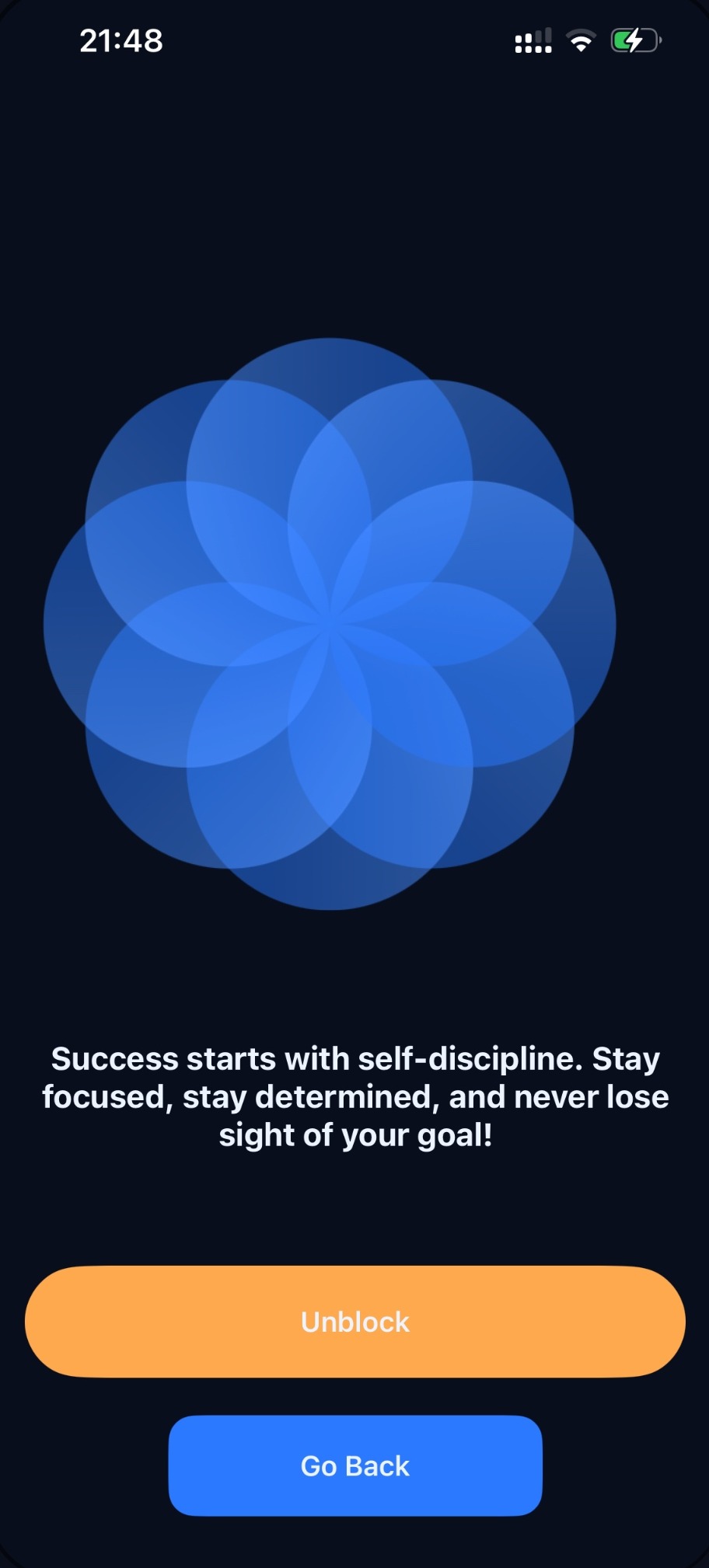
When you reach to unblock, Unplugged asks you to stop, breathe, and think first. That small moment is often all it takes to choose your goal over the scroll.
- A calm, intentional unblock screen
- A reminder of why you started
- Go back with one tap
Focus turns into a habit
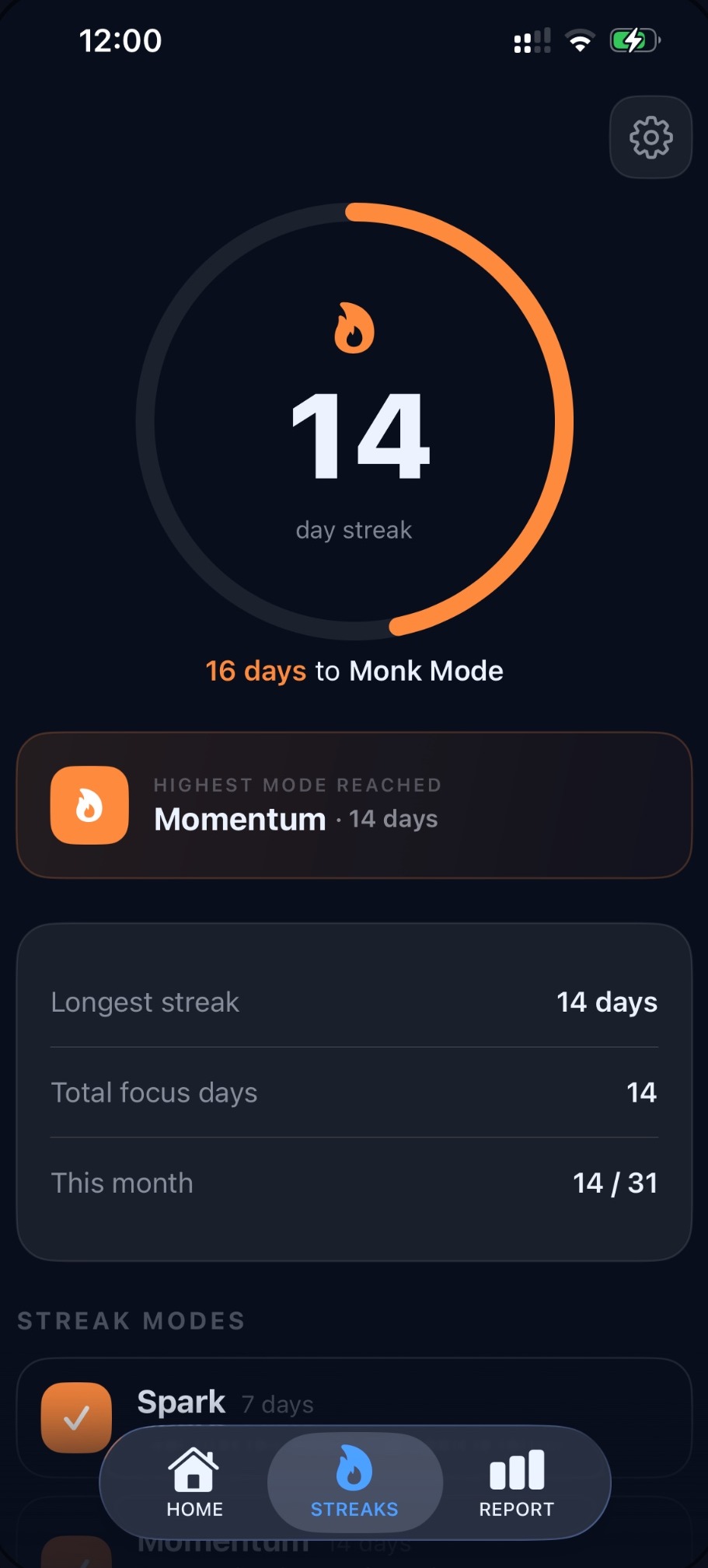
Every focused day builds your streak and moves you up through modes — Spark, Momentum, all the way to Monk Mode. Progress you can feel keeps you coming back.
- Daily streaks with milestone modes
- Longest streak, total focus days & monthly tally
- Motivation that compounds
Take a look inside
A focused, distraction-free design — dark, calm, and out of your way.
Focus in three steps
No setup marathon. You'll be blocking distractions in under a minute.
-
1
Pick your distractions
Choose the apps and sites that pull you off track — social, video, browsers, anything.
-
2
Choose how to block
Block now, set a schedule, add a daily limit, or lock them for the day. Pick your difficulty.
-
3
Watch the time come back
Stay in focus, build your streak, and see your screen time drop week over week.
Private by design
Unplugged is built on Apple's Screen Time framework and runs entirely on your device. There's no account to create, nothing to log in to, and your usage never leaves your iPhone. Your focus is yours alone.
Questions, answered
Which apps can I block?
Any app or website on your iPhone — social media, video, games, browsers, you name it. Group them into sessions like "Work" or "Sleep" and block them together.
Can I stop myself from just turning it off?
Yes. With Deep Focus, an active session can't be modified or deleted, and you can even restrict uninstalling the app. Set how many unblocks you're allowed so a weak moment can't cost you the day.
Does it work automatically?
It can. Create a schedule with the hours and weekdays you want, and Unplugged enforces your rules every day on its own — no need to remember to turn it on.
Is my data private?
Completely. Unplugged uses Apple's on-device Screen Time framework. There's no sign-up, and your usage data never leaves your phone.
What does it cost?
Download Unplugged free from the App Store and start blocking today. Check the App Store listing for the latest on any premium features.
Reclaim your focus.
Get your hours back.
Join the people who decided their attention was worth protecting.
Download on theApp Store Scan with your iPhone camera